Automated Business Alerts & Notifications
The right people hear about it, and nobody has to send the email.
Notifications go out the moment something happens. Alerts check your records on a schedule, then remind, report and escalate until someone acts.














































Something happened, or something is due?
Three kinds of message, each set up once and sent on its own.
Notification
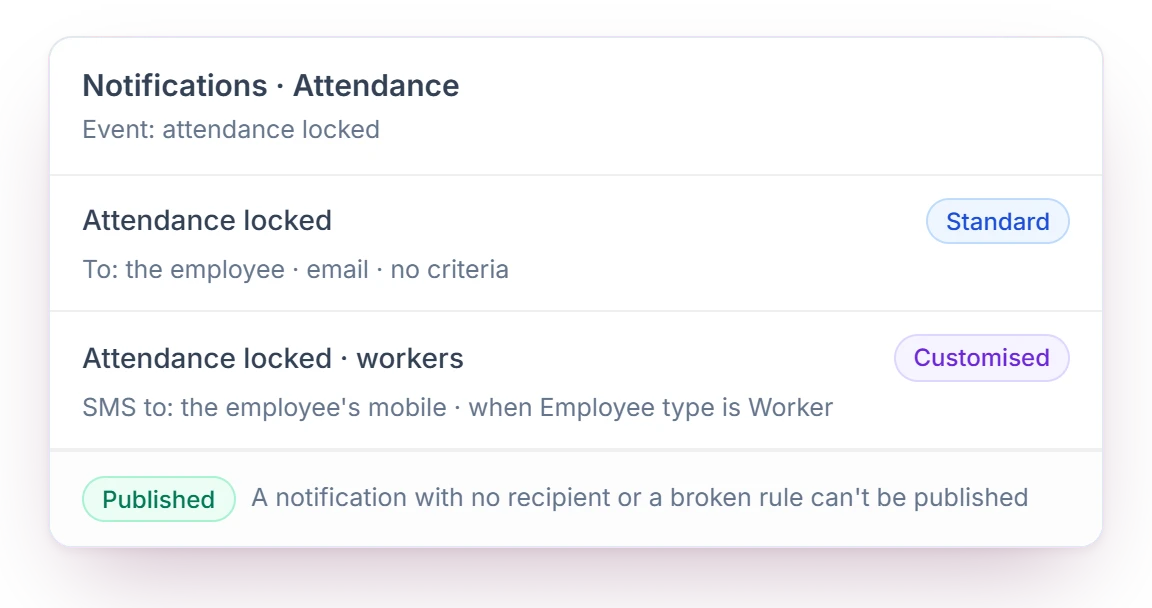
Sent the moment a system event happens: attendance is locked, salaries are published, a document is acknowledged.
Record reminder
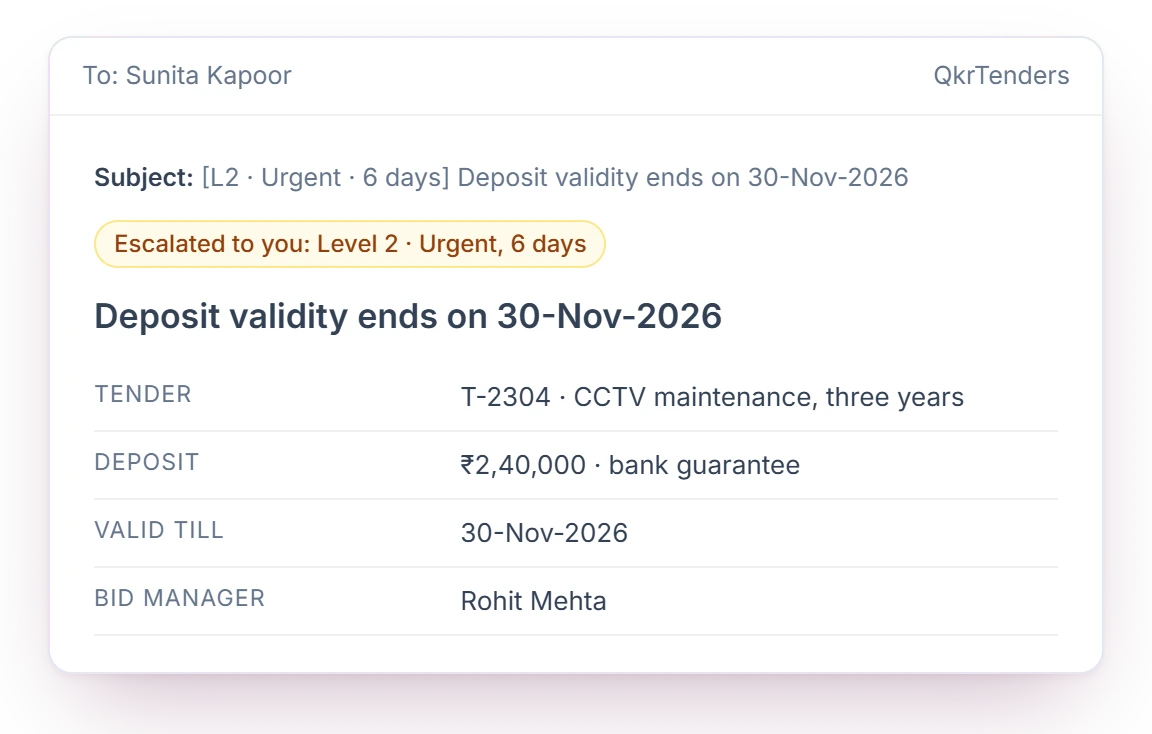
One email for each record that matches, such as each deposit nearing its end date or each overdue task.
Scheduled report
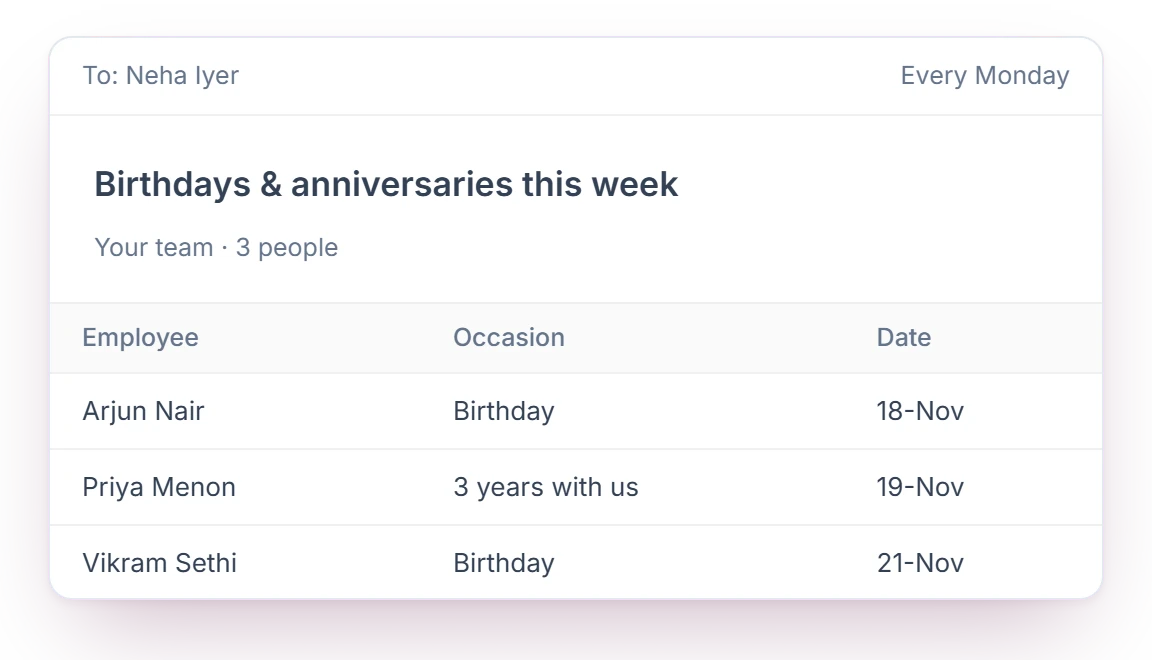
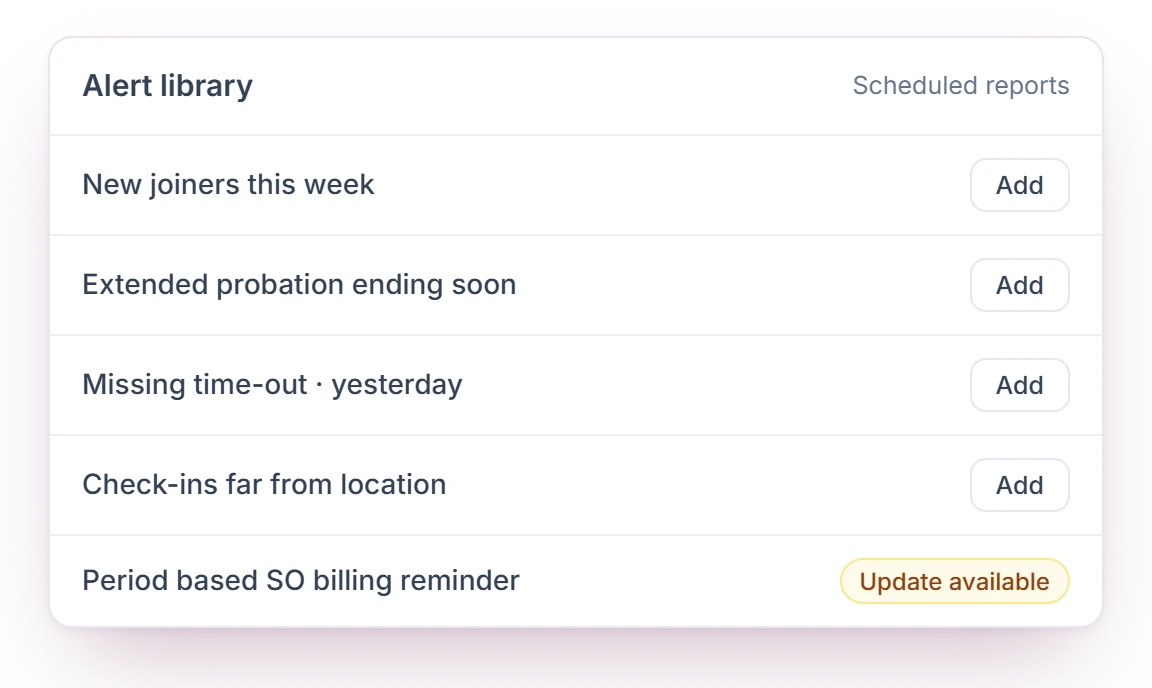
One email with a table of every record that matches, such as this week's new joiners or unbilled orders.
Asking someone to approve, and telling them the decision, are the workflow's own emails.
Workflow Automation →“The month is locked. Who needs to know?”
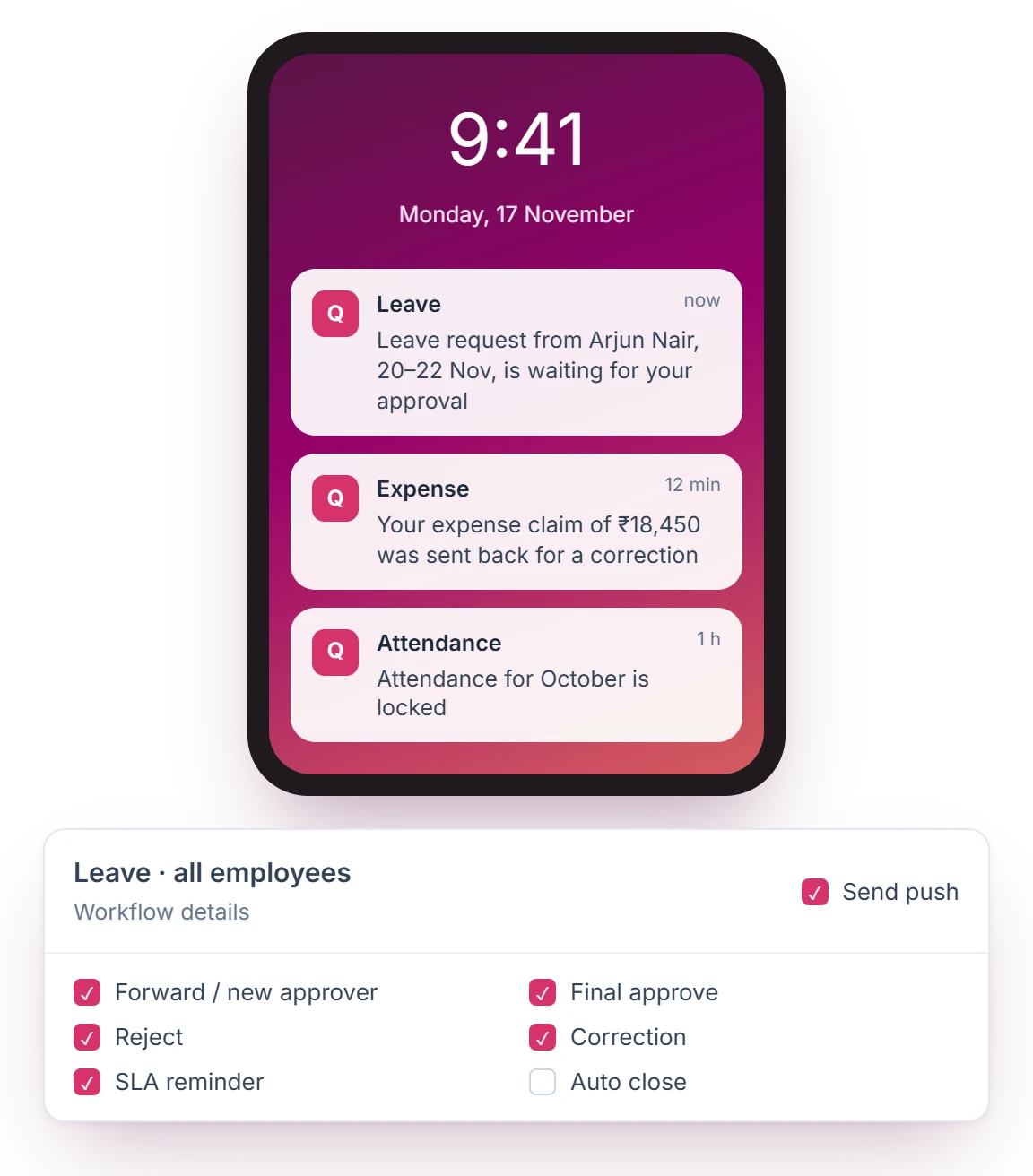
“I'm on site all day. I don't open email.”
“This deposit's validity ends in 15 days. Who's on it?”
“Every Monday, each manager gets their own team's list.”
“We don't want to write fifty emails from scratch.”
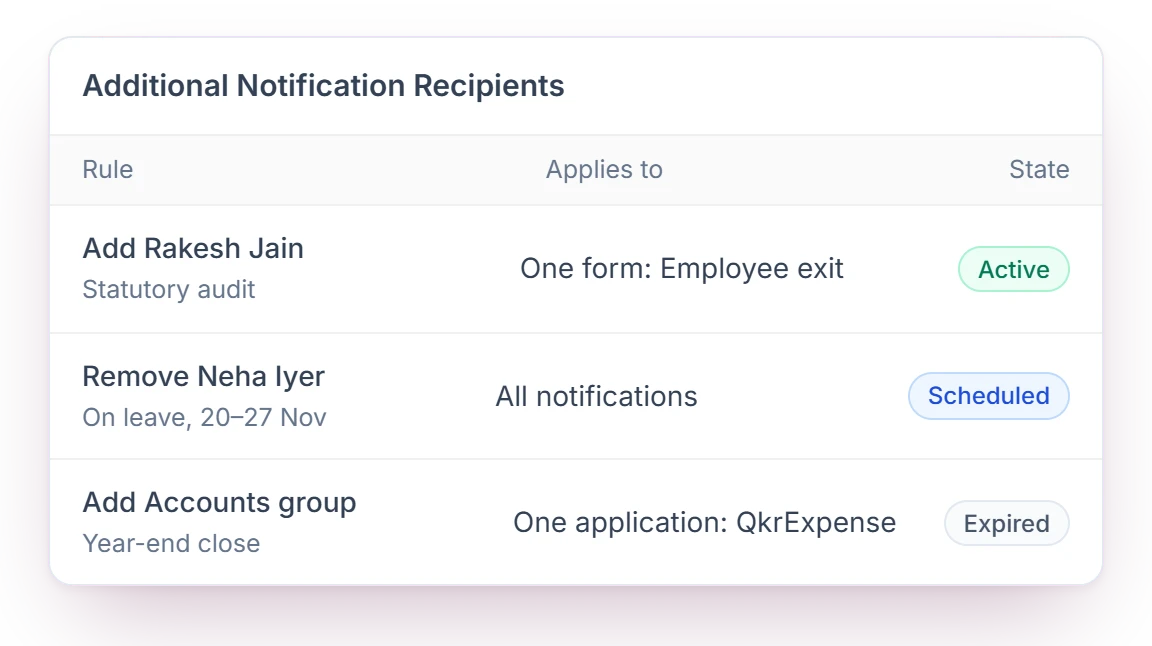
“Our auditor needs every exit notification until March.”
Every notification goes through the same checks, in this order.
- 1
Match
Find the notifications set up for this event.
- 2
Criteria
Keep only those whose criteria the record meets.
- 3
Recipients
Work out the people from the record, groups and rules.
- 4
Additional recipients
Apply the rules in date. A removal beats an addition.
- 5
Clean-up
Drop people who have left, and anyone listed twice.
- 6
Send once
A double click inside a minute doesn't send it twice.
Reminders for every app, not just HR.
QkrHR
Probation ending, new joiners, missing time-out, birthdays
QkrTenders
Deposit validity, deposit documents
QkrSales
Billing due on period-based and milestone orders
QkrTasks
Recurring tasks not done
QkrVisit
Check-ins far from the customer's location
QkrProjects
Work milestones coming due
Trusted by HR Teams Across India
Voices of Satisfaction

Roli
HR | SRSG
QkrHR has made our daily HR work so much simpler. Attendance, leave, and payroll take minutes now, not hours. It's so easy for everyone, support is quick, and our HR finally focuses on people instead of paperwork—bringing a real positive shift.

Sushant V.
Manager
QkrHR is an efficient, user-friendly HR application for daily tasks. Employees can mark attendance, apply for leave, and view balances easily. Real-time updates reduce manual processes, improve accessibility, and streamline internal workflows—making HR simpler and faster.


Pranav Goel
CEO DebtSet
QkrHR has streamlined our HR operations with a user-friendly interface and comprehensive features. Payroll, policies, and HR tasks are effortless, while integrated Field Force Management, smart workflows and customizable views save time, boost productivity, and enable smarter HR decisions.


Ashok Jade
CEO Shalimar Paints
Intec Infonet Pvt. Ltd. has carried out a really excellent and highly professional job. The team's exceptional domain and technical knowledge helped convert our requirement, which was just in the form of ideas, into a very high-end enterprise mobility solution, with real-time interface with our SAP system.

Dinesh C. Gupta
Director Capital Power
My ERP software had to be easy to use & Intec Infonet Pvt. Ltd. made that happen for me! I am dedicatedly using this software for the past 2 years & not once have I encountered any problem. It also has an impeccable support team & that’s why I recommend it to others also.

Ranjith Singh
V.P Arihant Electricals
I very much appreciate the team's efforts over these past years. Your experience and dedicated staff have really helped us in implementing the solution and provided a helping hand whenever there is a query raised.

Atal Bihari
Sales Head Vision Plus
Vision Plus Pvt Ltd has been using Qkrbiz since July 2015 and I am really impressed with the product features. We have streamlined our Sales and Services to a great extent and kudos to EFFORT for helping us achieve this. I highly recommend using this world-class product..
Vinita R.
Deputy Manager - HR, Intec Capital
Payroll used to be our most stressful process every month. With QkrHR, attendance flows directly into payroll, exceptions are highlighted automatically, and salary errors have almost disappeared. It's easily the smoothest payroll experience I've had in 5 years.
Priya
HR & Administration Manager, Help a Child Foundation
QkrPayroll significantly reduced our payroll processing time and manual effort. Attendance integration and exception handling have made month-end payroll faster, more accurate, and easier to manage.
Anjali
Manager - Human Resources, iVenture
Before QkrPayroll, payroll involved multiple spreadsheets and constant corrections. Today, payroll runs smoothly with automated calculations and minimal manual intervention, saving our HR team valuable time every month.
Questions about alerts and notifications
Haven't got your answer? Contact our support now
Bring the email you send by hand every week.
We'll turn it into an alert in the demo, with your own records.